
Single sign-on with SAML
Before you start
| You need | Why |
|---|---|
| A Shorter Loop role with Change organization settings, such as owner or admin | The setup page is in company settings |
| Admin access to your identity provider | You create a SAML application there |
| Every person already invited to Shorter Loop | SSO signs people in. It never creates accounts. Someone your provider lets through, but who isn't a member of your company in Shorter Loop, is refused. |
| The same email address in both places | The email your provider sends must match the person's Shorter Loop email exactly. |
| About 15 minutes | Four short steps. Nothing changes for your team until the last one. |
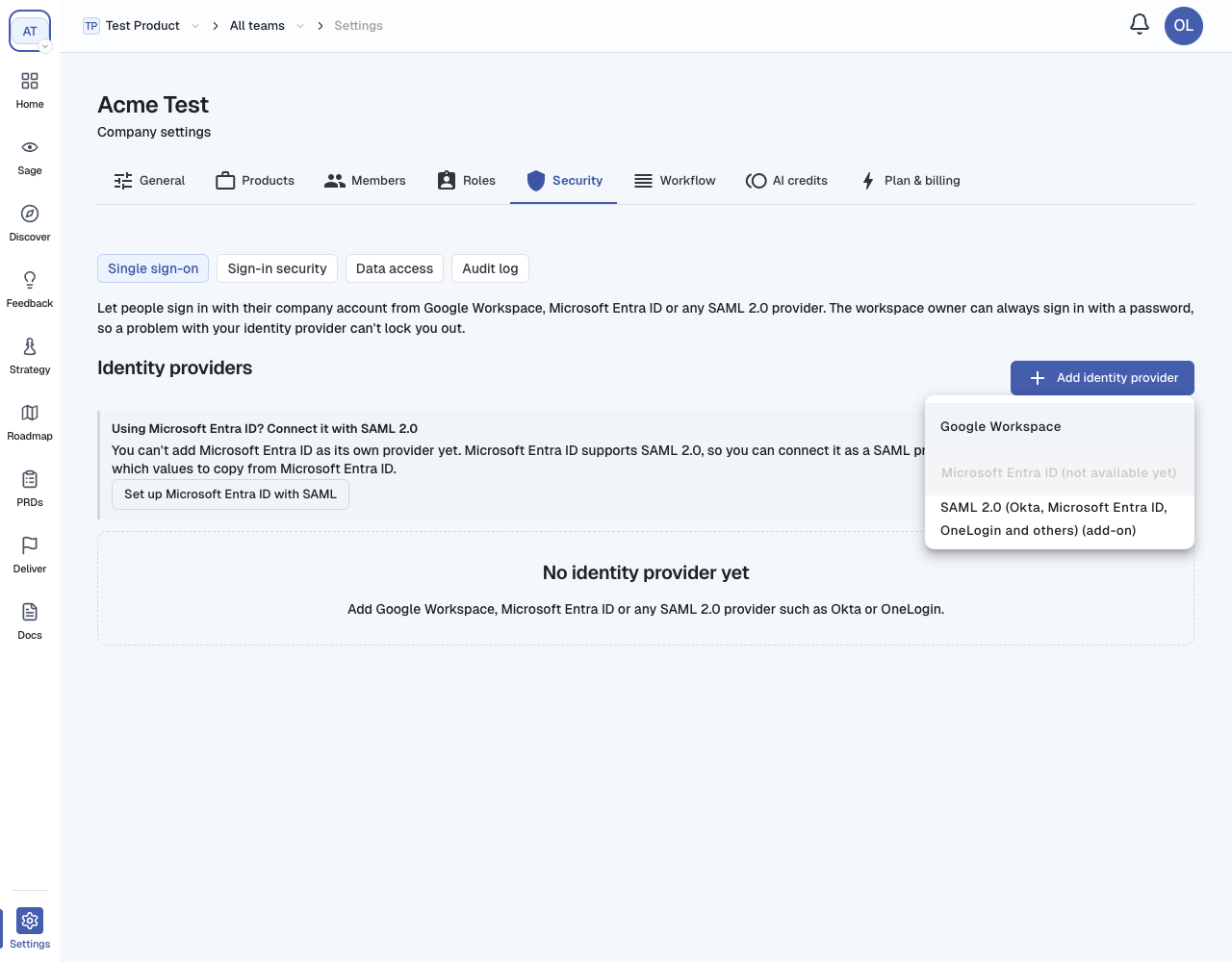
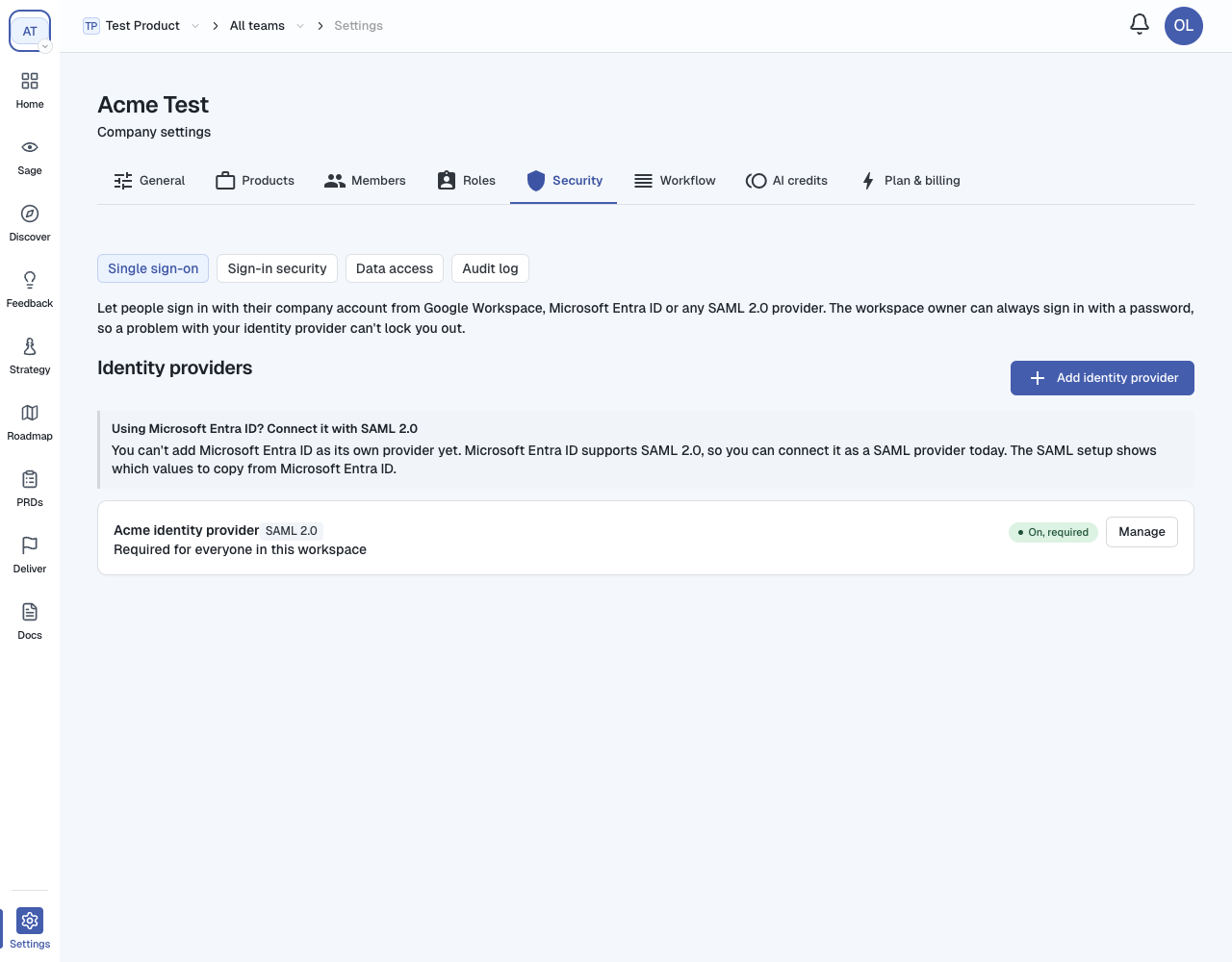
SAML or Google/Microsoft? The same page also connects Google Workspace directly, with no SAML setup. Use SAML for Okta, OneLogin, Microsoft Entra ID (for now) and any other SAML 2.0 provider.
Set up SAML
Open the page
1.
2.
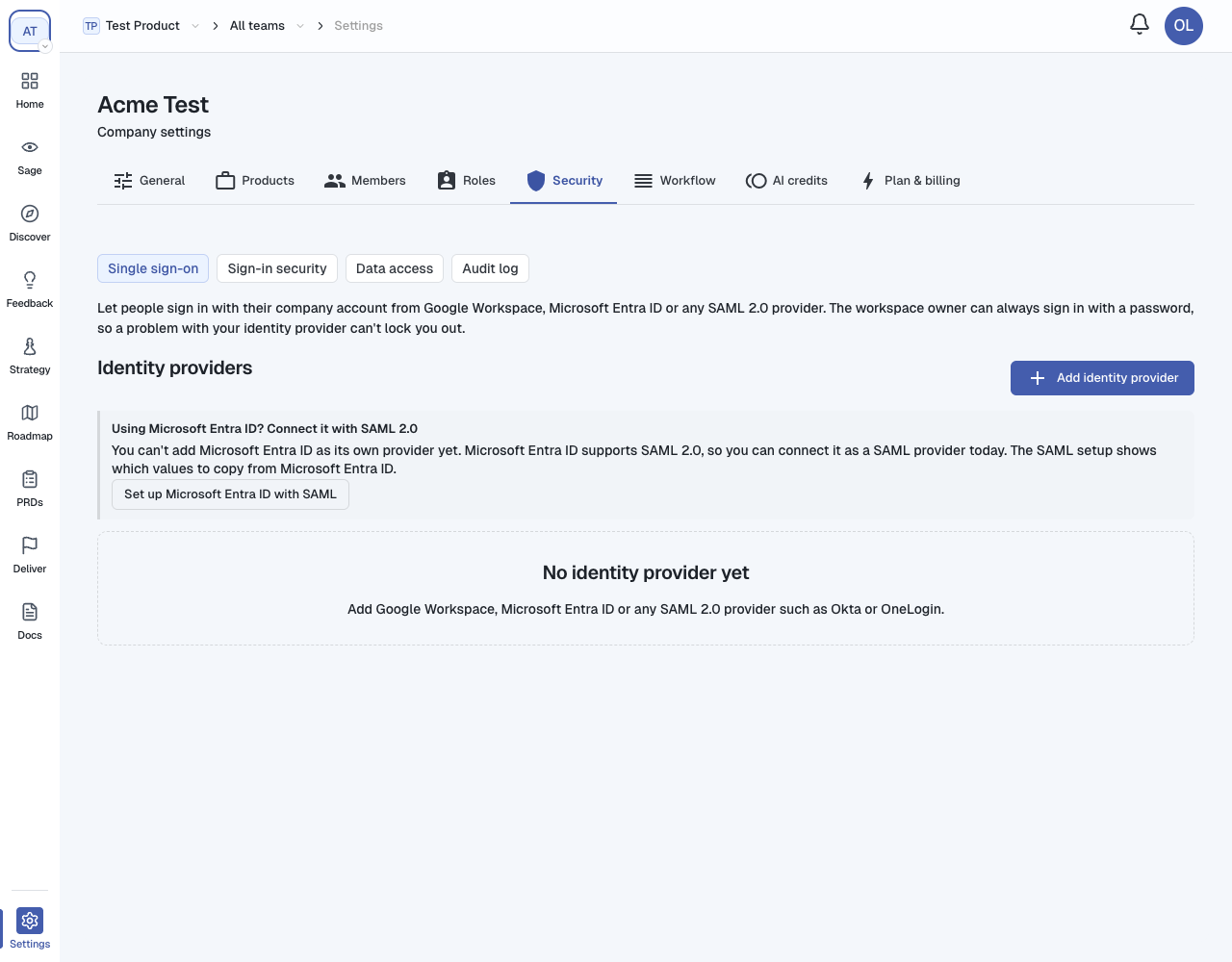
3.
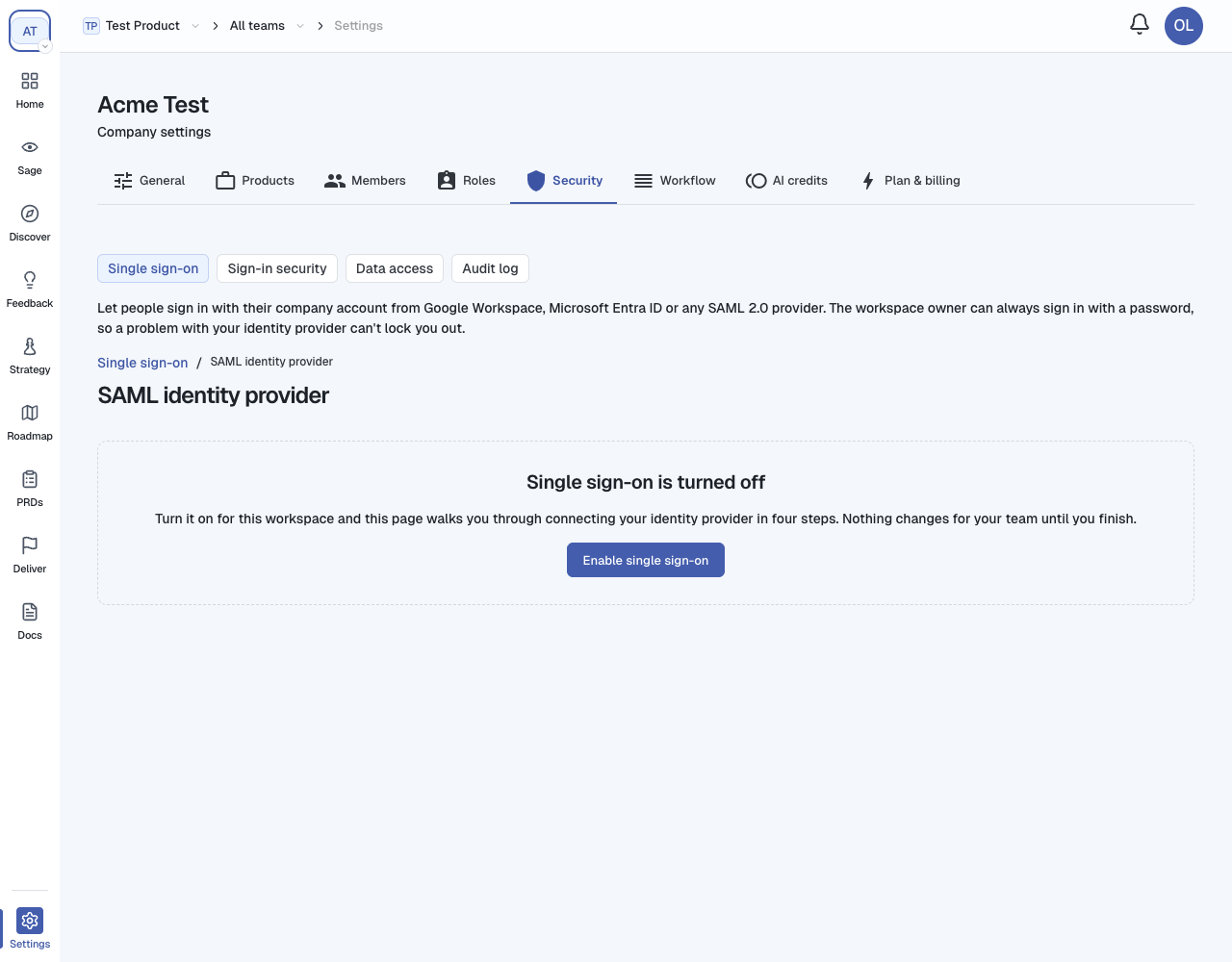
1. Turn single sign-on on for your company
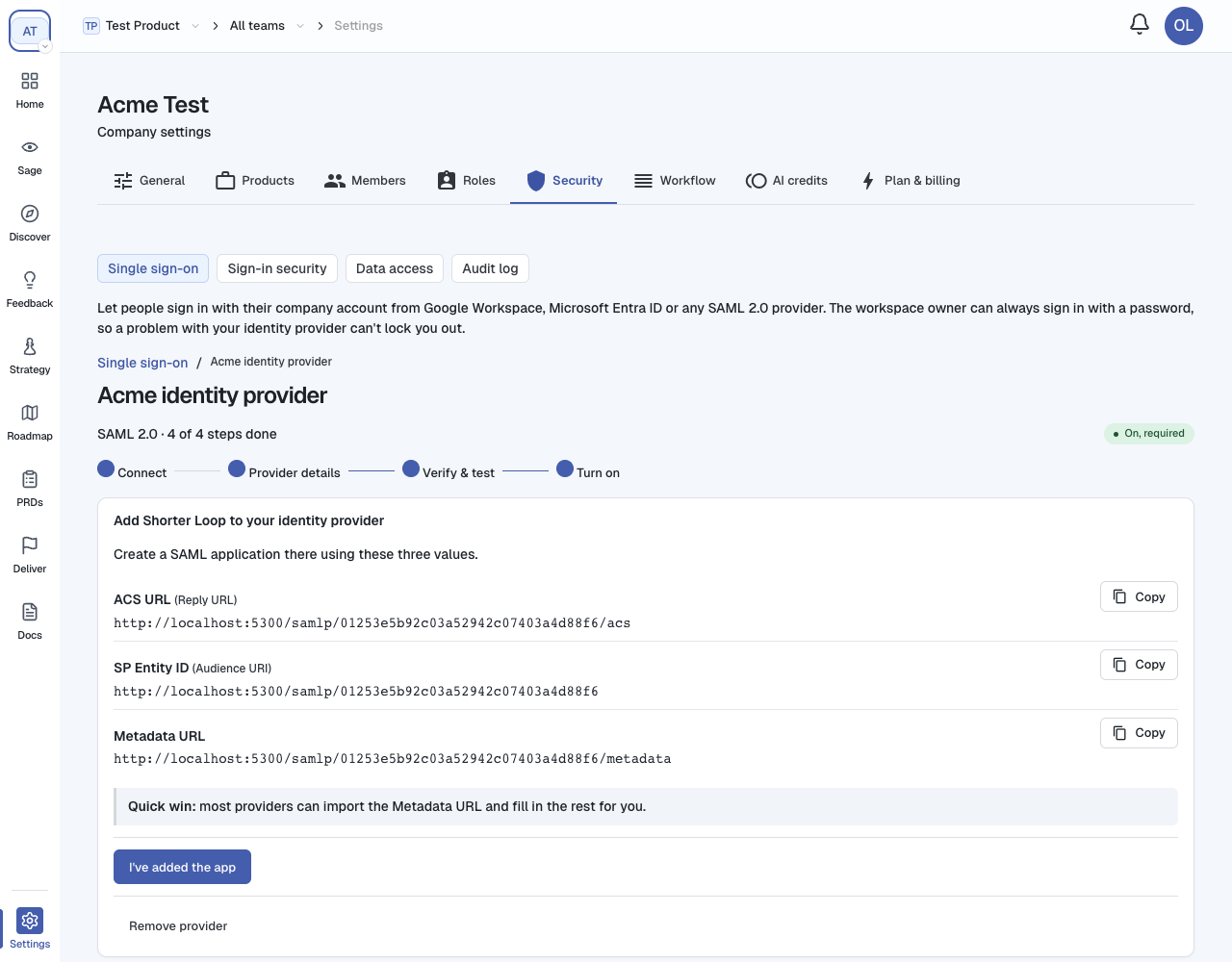
2. Add Shorter Loop to your identity provider
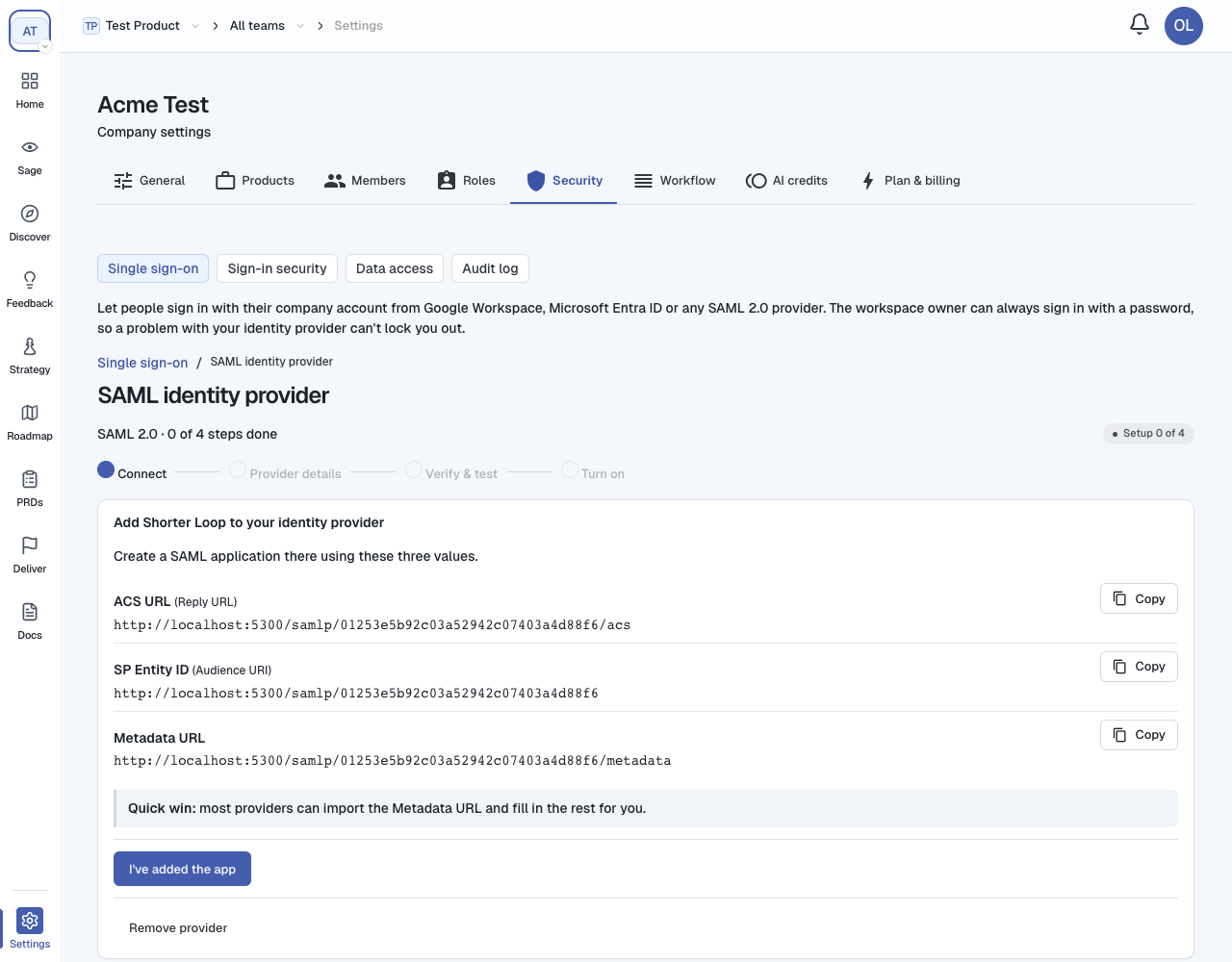
| Value | Also called | Where it goes in your provider |
|---|---|---|
| ACS URL | Reply URL, Single sign-on URL, Assertion Consumer Service URL | Where your provider sends people after they sign in |
| SP Entity ID | Audience URI, Identifier, Audience | Who the sign-in is for |
| Metadata URL | Service provider metadata | Many providers import this and fill in the other two for you |
1.
2.
3.
email whose value is the email.4.
3. Enter your provider's details
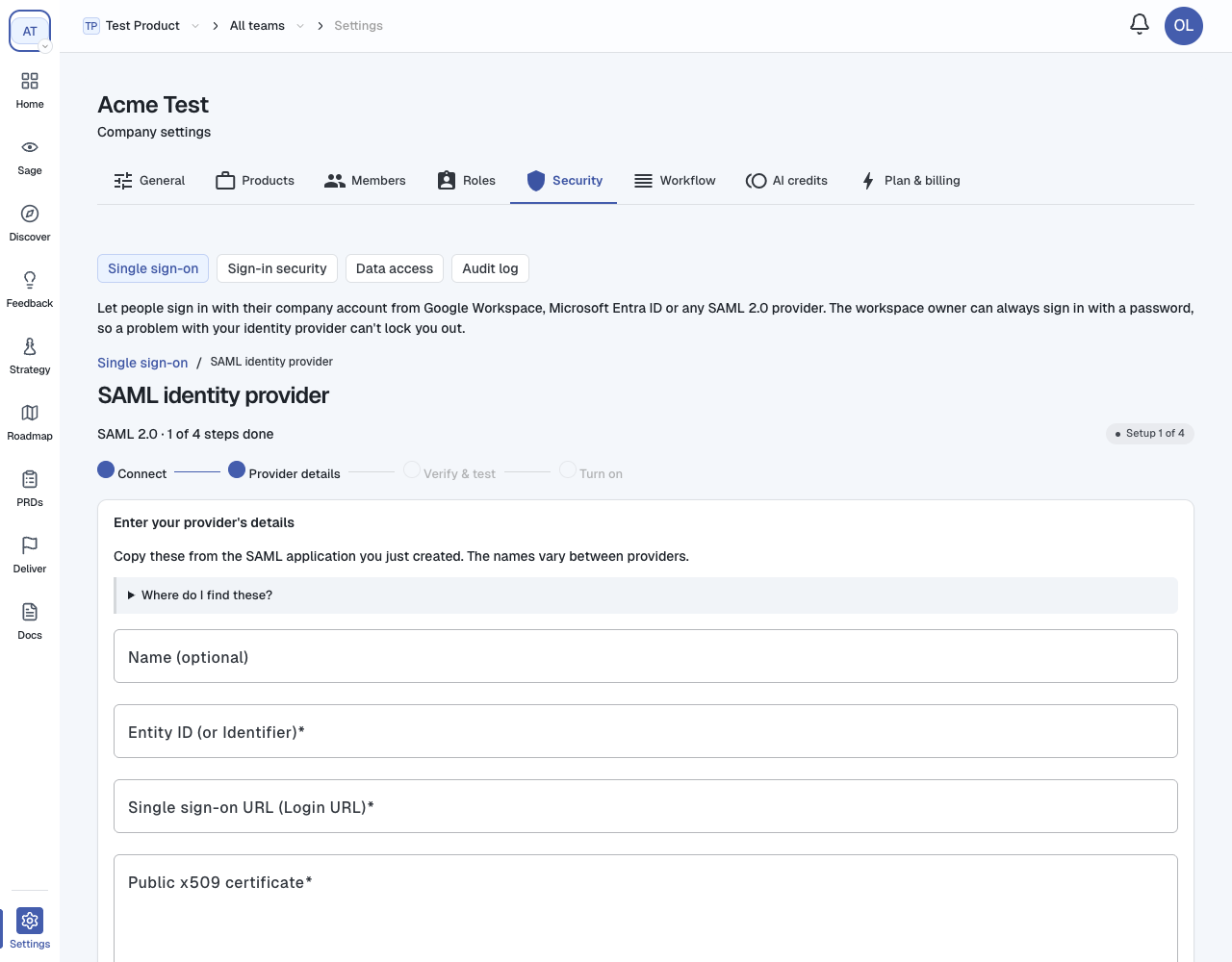
| Field | What to paste |
|---|---|
| Name (optional) | A name you will recognise, such as "Acme Okta". It is shown in the list and as the page title. |
| Entity ID (or Identifier) | Your provider's issuer or entity ID |
| Single sign-on URL (Login URL) | Your provider's sign-in URL. It must start with https://. |
| Public x509 certificate | Your provider's signing certificate, including the -----BEGIN CERTIFICATE----- and -----END CERTIFICATE----- lines |
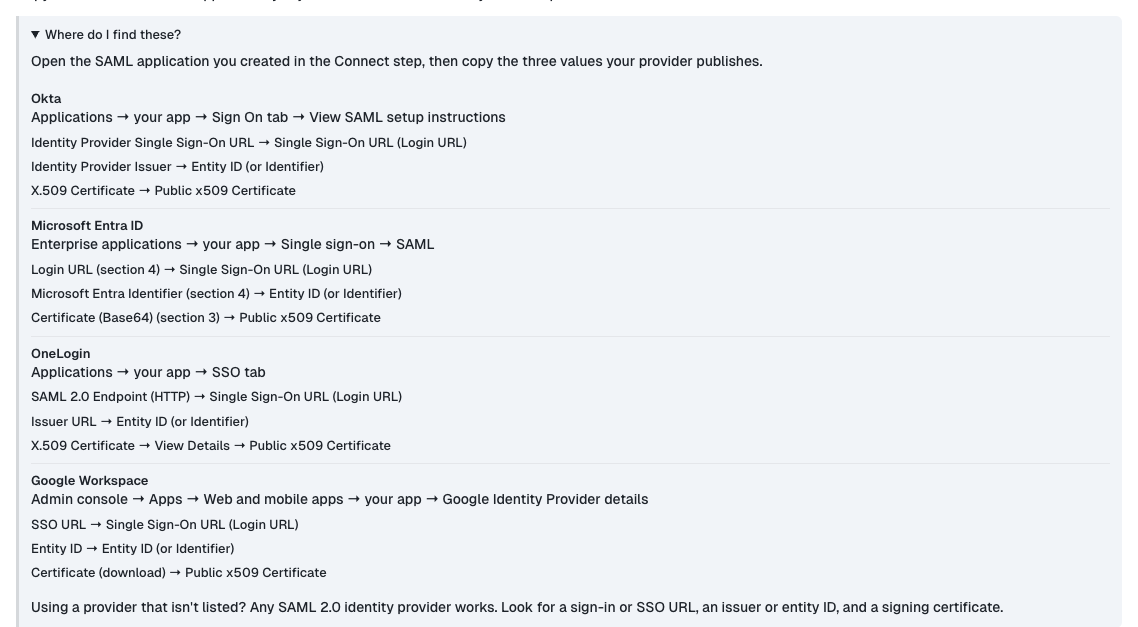
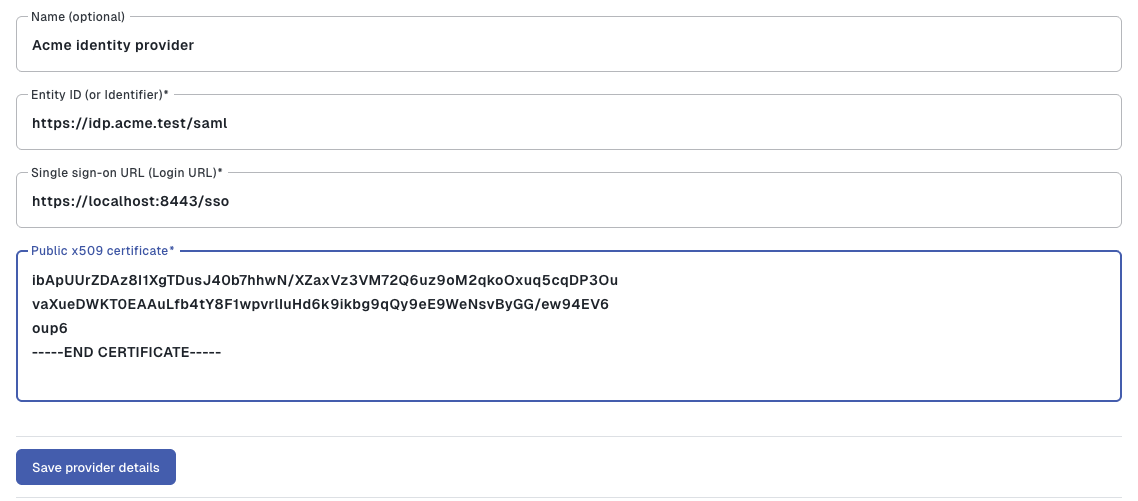
https://, the form tells you: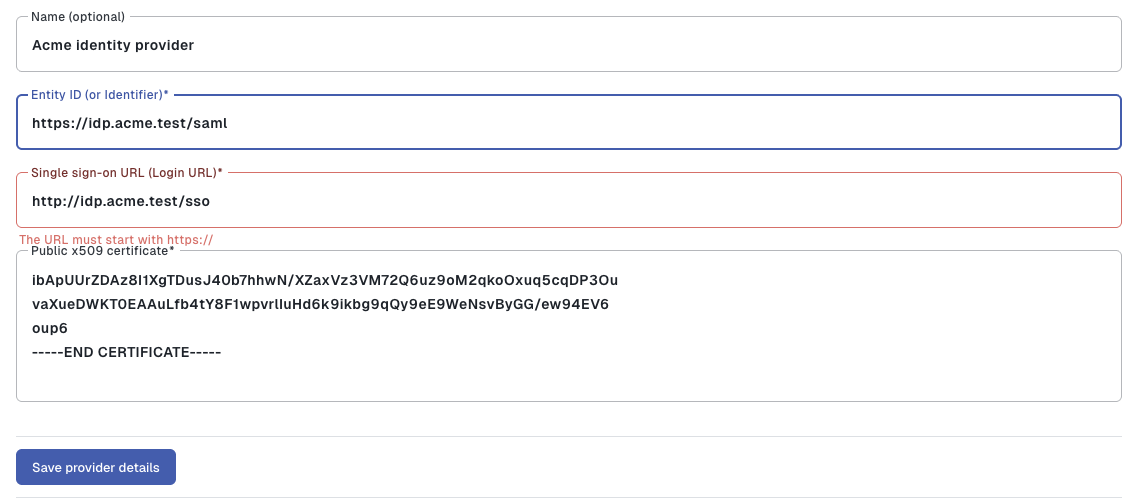
The certificate is stored securely and never shown again. When you come back to edit the details later, leave the certificate box empty to keep the one you saved.
4. Verify and test
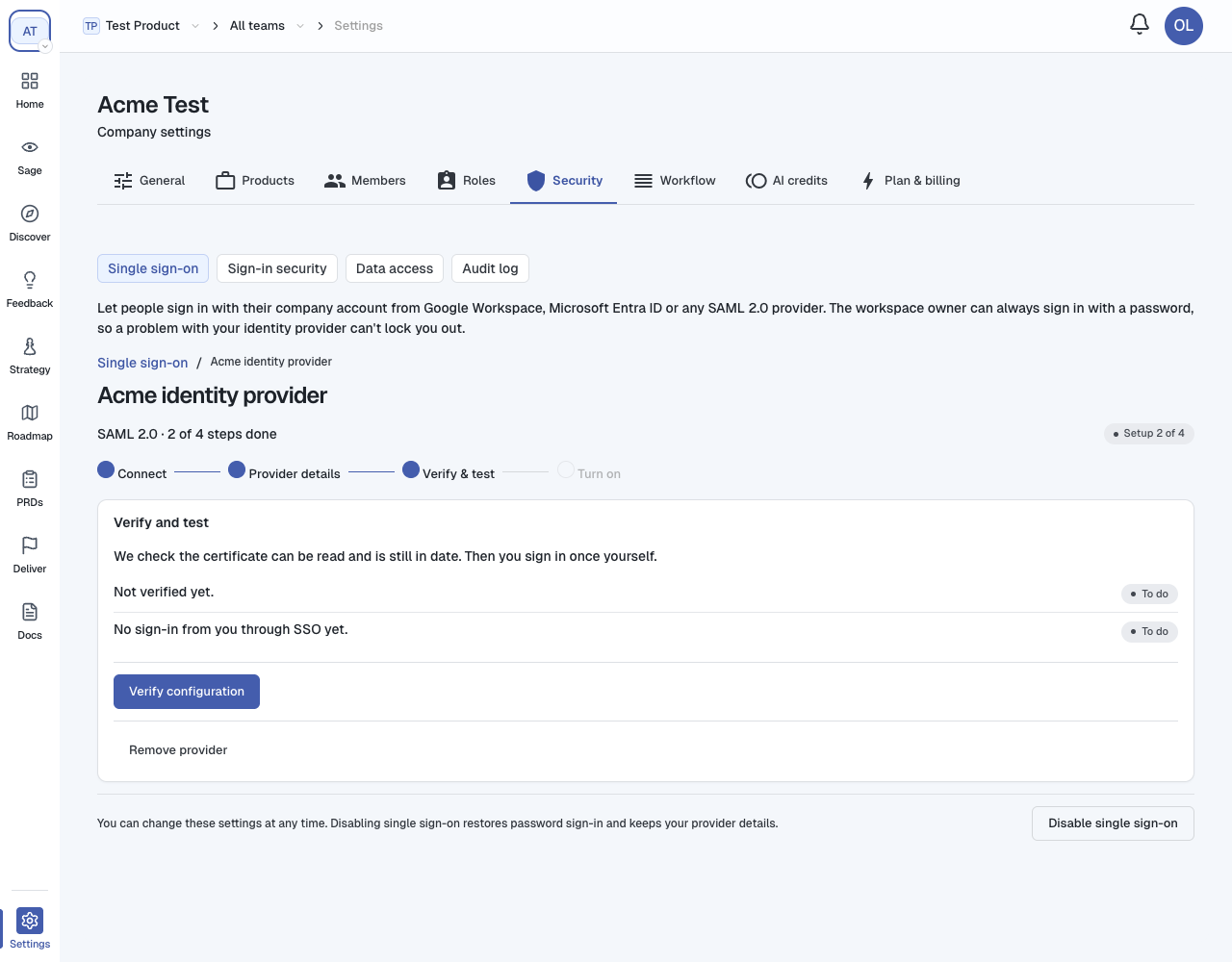
1.
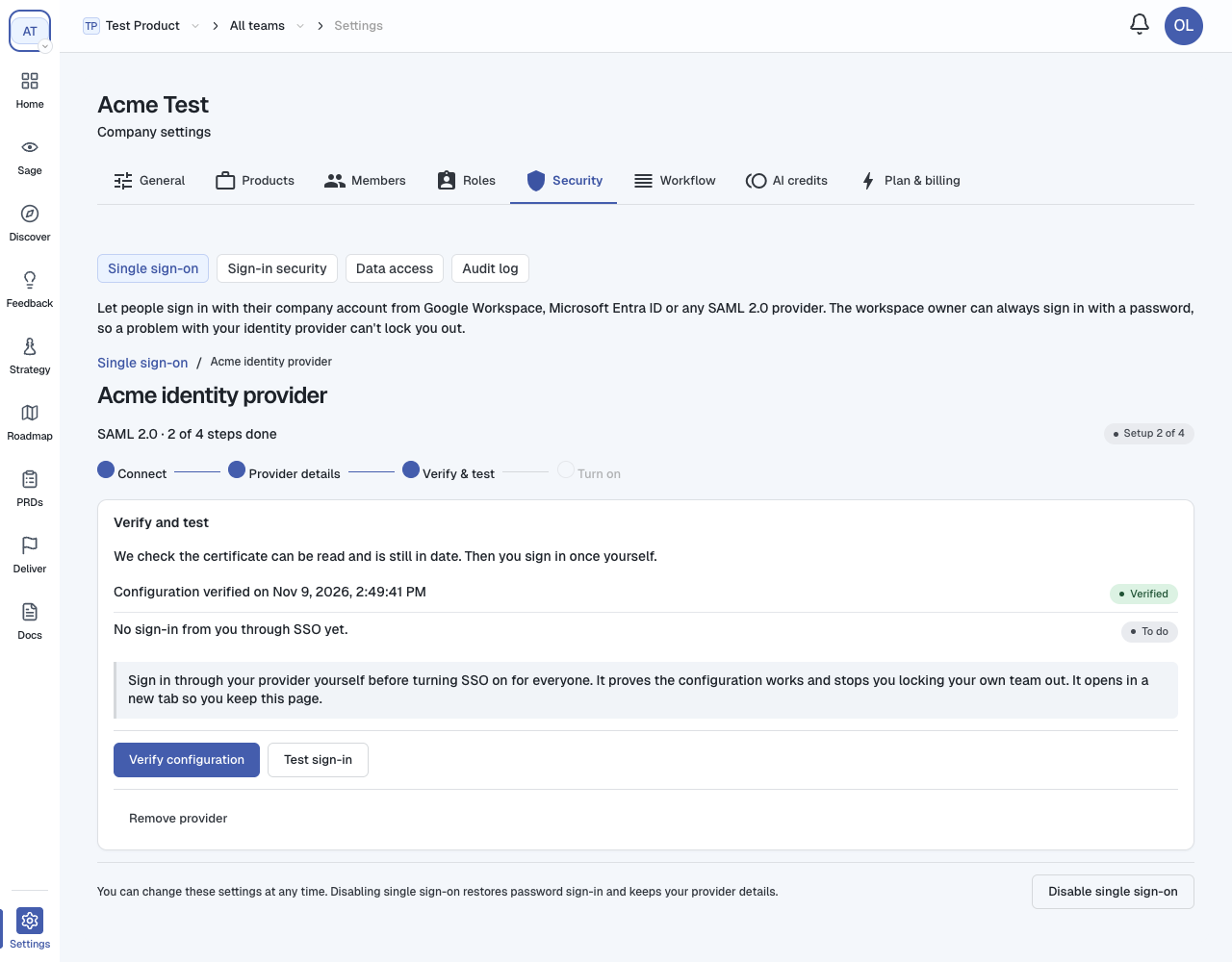
2.
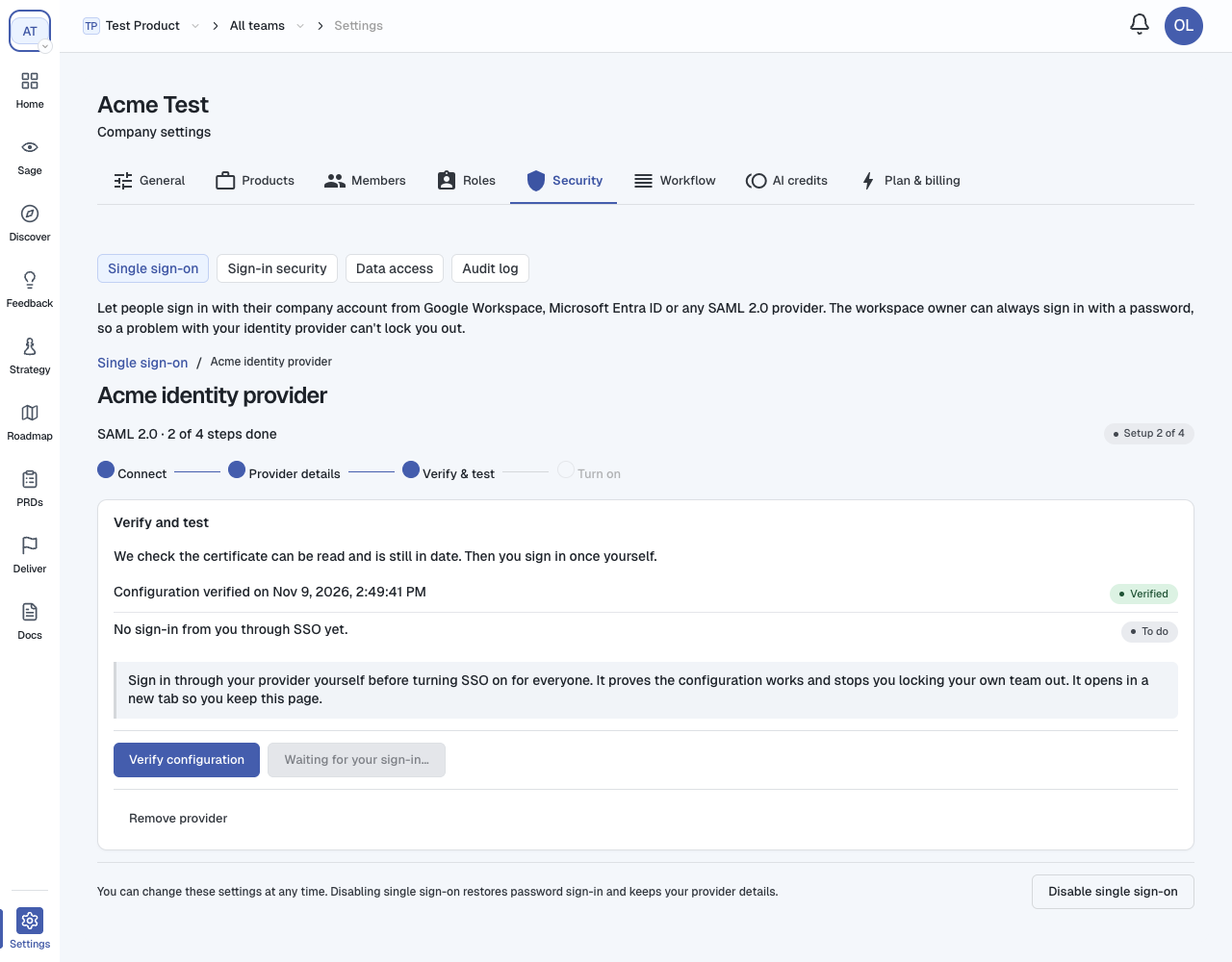
3.
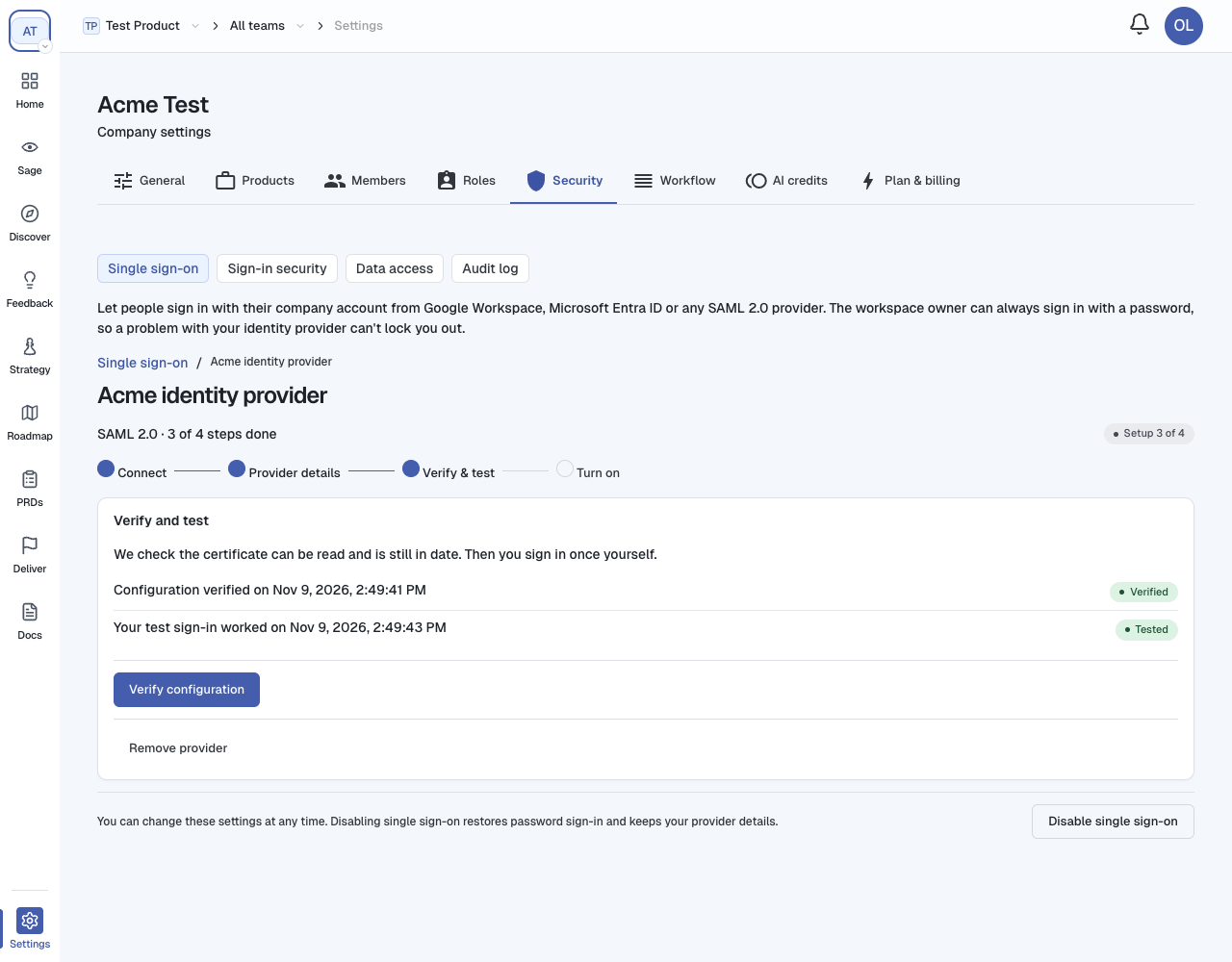
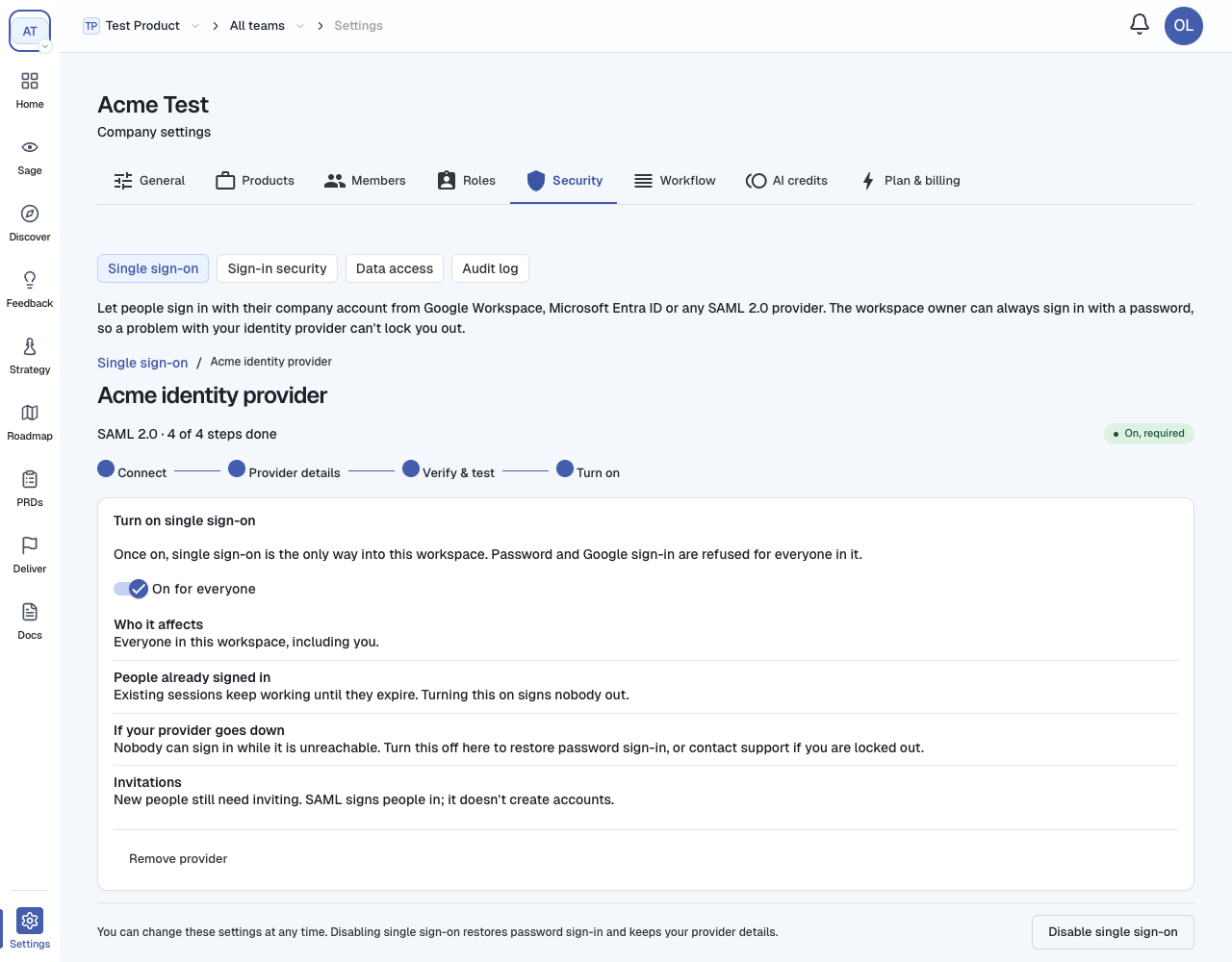
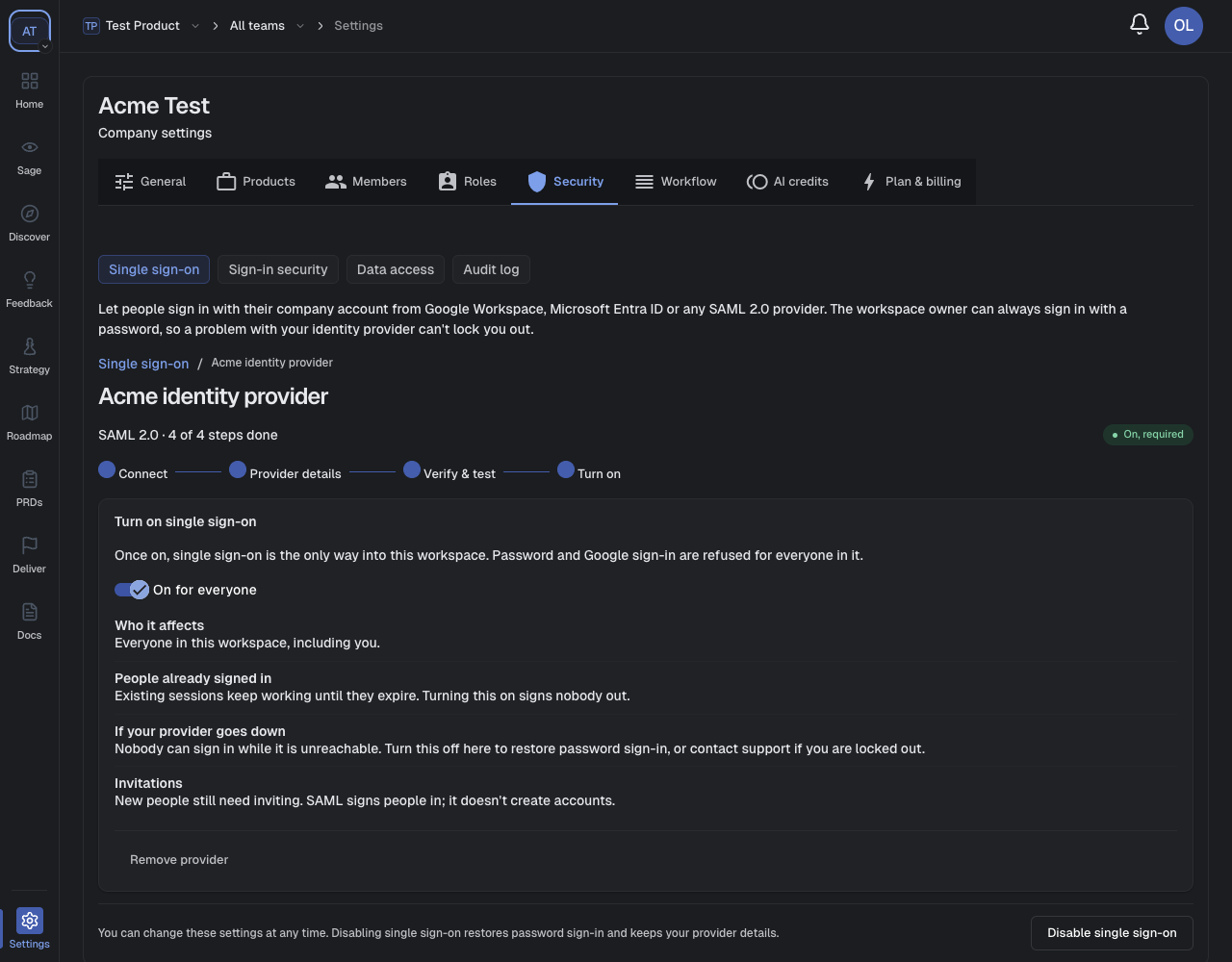
5. Turn it on for everyone
Provider-by-provider values
| Provider | Where in the provider | Their name → our field |
|---|---|---|
| Okta | Applications → your app → Sign On tab → View SAML setup instructions | Identity Provider Single Sign-On URL → Single sign-on URL · Identity Provider Issuer → Entity ID · X.509 Certificate → Public x509 certificate |
| Microsoft Entra ID | Enterprise applications → your app → Single sign-on → SAML | Login URL (section 4) → Single sign-on URL · Microsoft Entra Identifier (section 4) → Entity ID · Certificate (Base64) (section 3) → Public x509 certificate |
| OneLogin | Applications → your app → SSO tab | SAML 2.0 Endpoint (HTTP) → Single sign-on URL · Issuer URL → Entity ID · X.509 Certificate → View Details → Public x509 certificate |
| Google Workspace | Admin console → Apps → Web and mobile apps → your app → Google Identity Provider details | SSO URL → Single sign-on URL · Entity ID → Entity ID · Certificate (download) → Public x509 certificate |
| Anything else | Your provider's SAML app settings | Look for a sign-in or SSO URL, an issuer or entity ID, and a signing certificate |
email.Signing in with SSO
From the sign-in page
1.
2.
3.
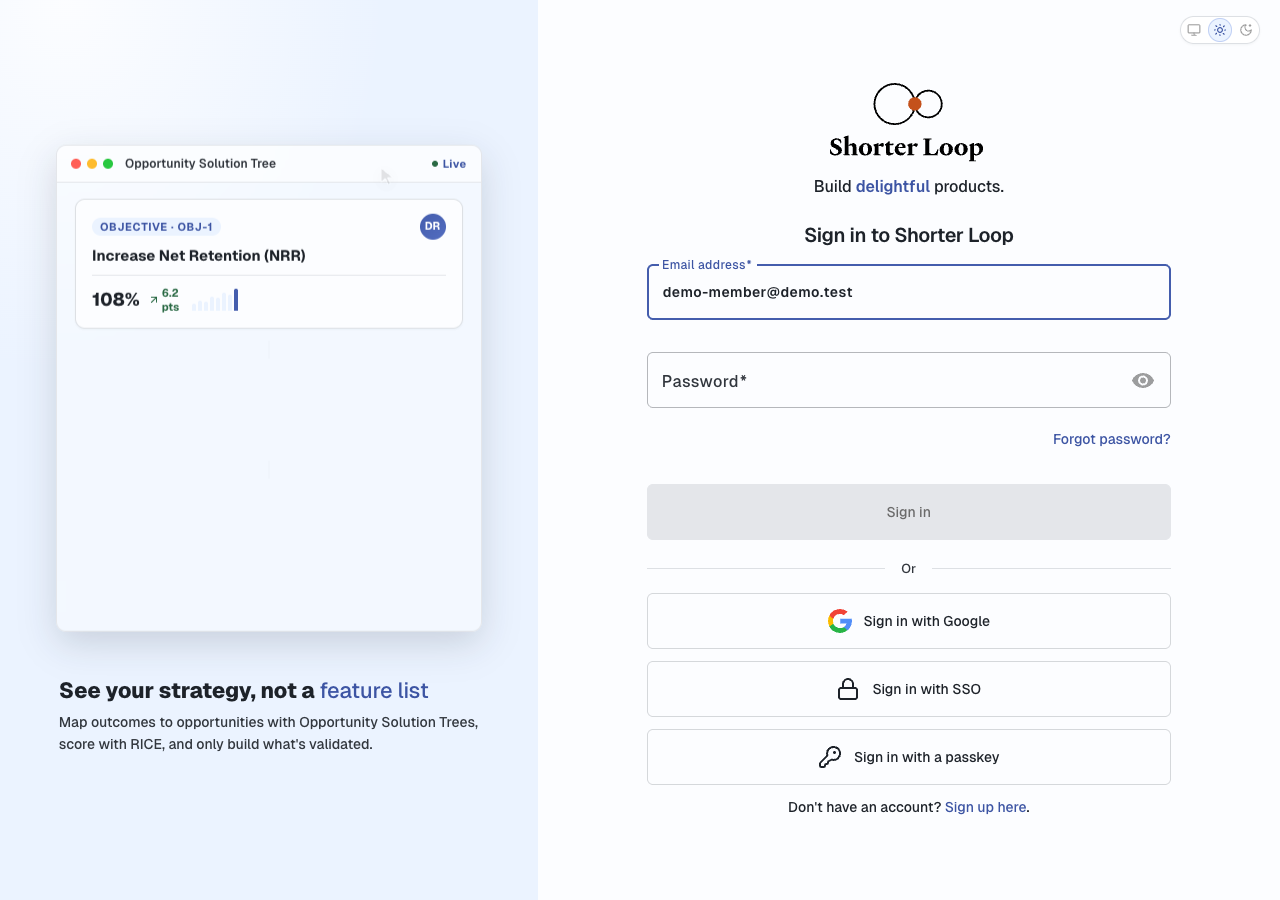
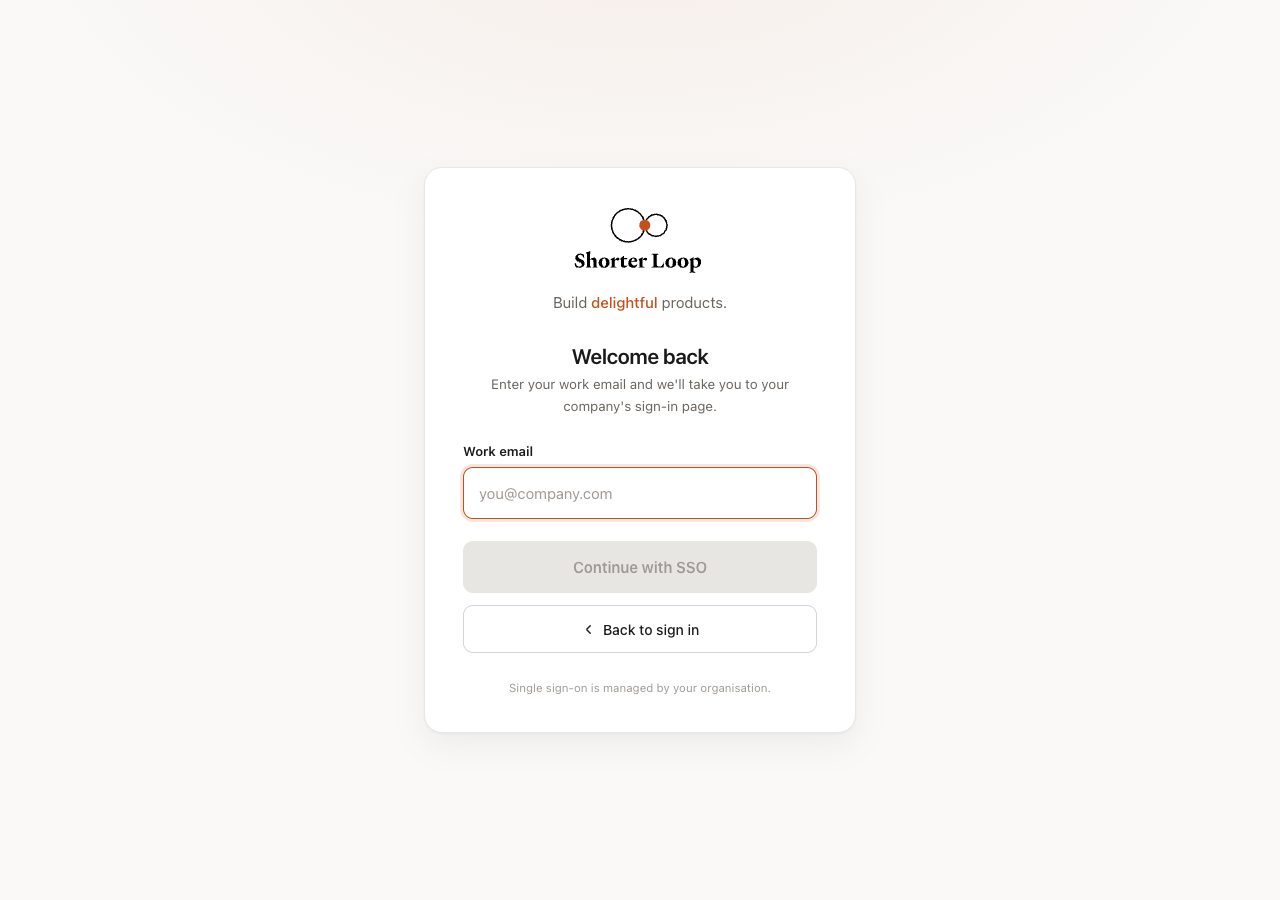
4.
5.
What else to know

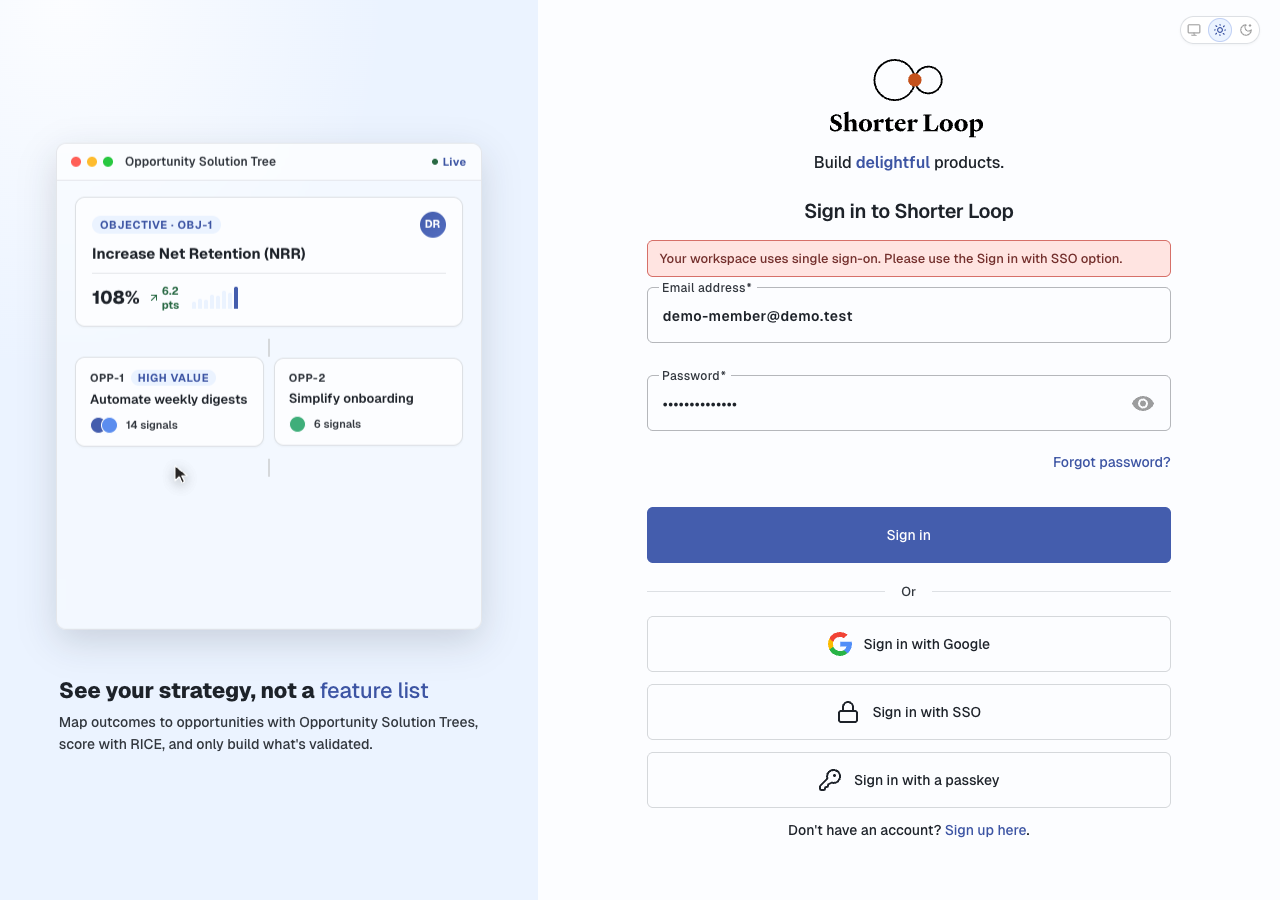
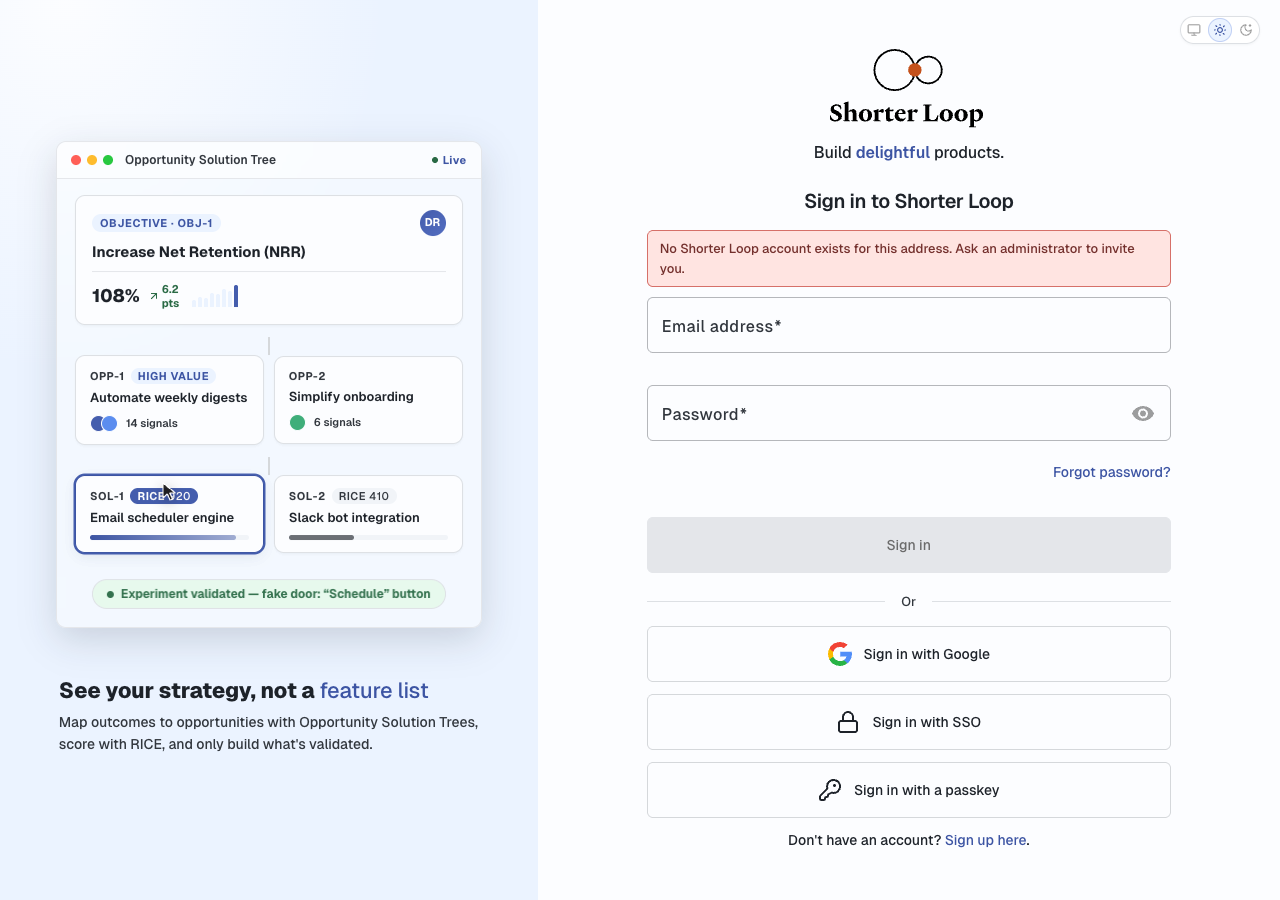
Messages you might see
| Message | Meaning | What to do |
|---|---|---|
| Your workspace uses single sign-on. Please use the Sign in with SSO option. | You tried a password, Google or a passkey. | Use Sign in with SSO. |
| Single sign-on is not set up for this address. Sign in with your password. | Your company doesn't use SSO, or this email isn't in it. | Check the email, or sign in with your password. |
| No Shorter Loop account exists for this address. Ask an administrator to invite you. | Your provider sent an email that has no Shorter Loop account. Often it's a different address, such as an alias. | Ask your admin to invite that exact address, or to fix the email your provider sends. |
| This account does not have access to that workspace. | You have an account, but not in this company. | Ask the company's admin to invite you. |
| This account is no longer active. | Your Shorter Loop account was deactivated. | Ask your admin. |
| Single sign-on is not available for portal accounts. | Idea-portal accounts can't use SSO. | Use the portal's own sign-in. |
| That single sign-on link is no longer valid. Start again from the sign-in page. | The sign-in took too long, or the setup changed. | Start again. |
| Single sign-on is temporarily unavailable. Try again shortly, or sign in with your password. | Shorter Loop's SSO service can't be reached. | Try again in a few minutes. |
| Single sign-on could not be completed. Please try again. | Your provider's answer was refused, for example because of a wrong certificate or the clock. For safety we don't say which check failed. | Try again. If it keeps failing, your admin should check the setup. See Troubleshooting. |
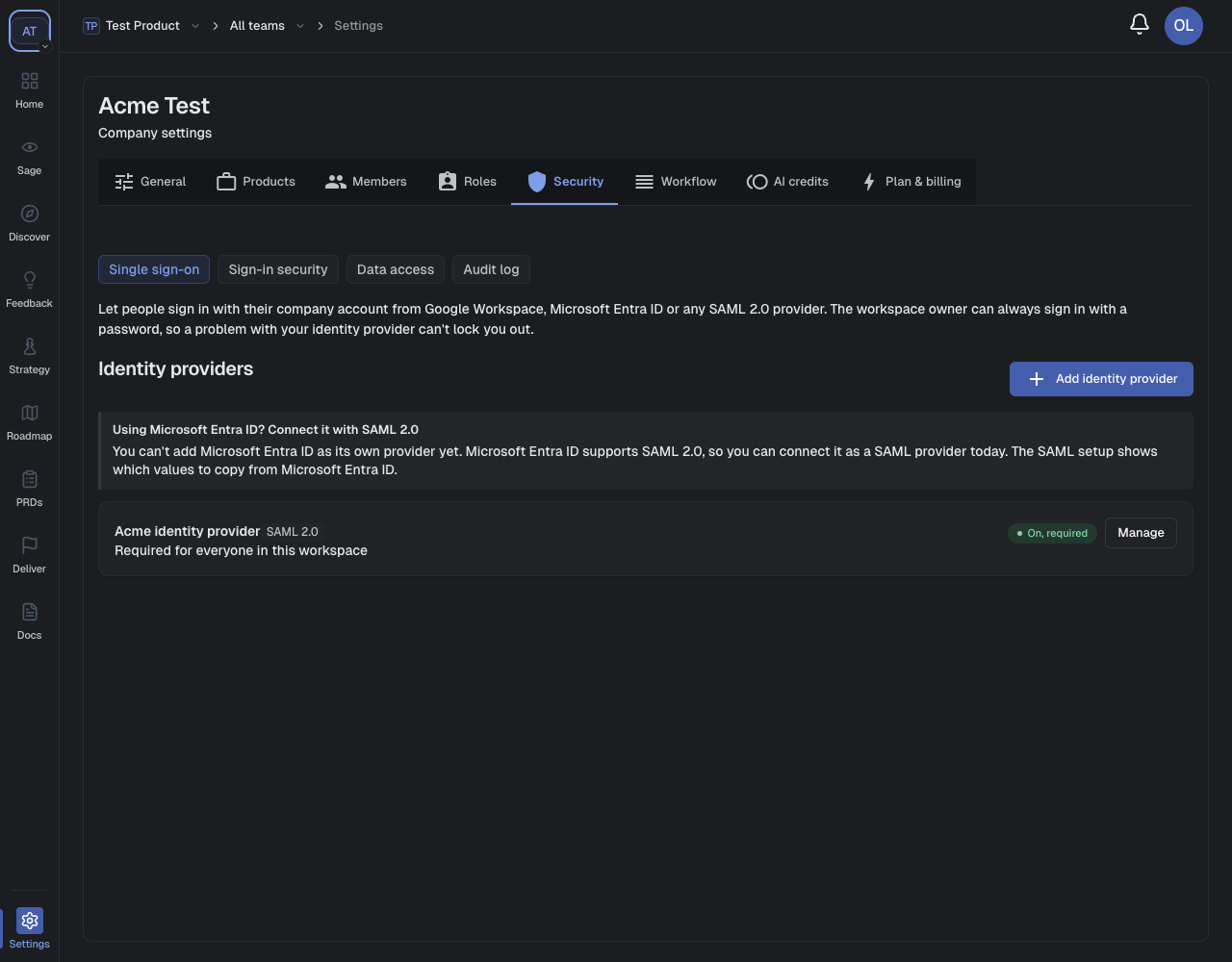
Manage, change or remove SAML
| To | Do this |
|---|---|
| Change the URL, entity ID or name | Open Provider details, edit, then Save provider details. Leave the certificate empty to keep it. Then Verify configuration again. |
| Replace the certificate before it expires | Paste the new certificate in Provider details and save. Do it when your provider switches to the new one; an assertion signed with a certificate we don't have is refused. |
| Stop requiring SSO, but keep the setup | Open Turn on and switch it off. Passwords work again straight away. |
| Turn single sign-on off for the company | Click Disable single sign-on at the bottom. Password sign-in comes back, and your provider details are kept for next time. |
| Remove the provider completely | Click Remove provider, then Remove. People sign in another way again. |

Troubleshooting
| Problem | Most likely cause | Fix |
|---|---|---|
| One person is refused | Their email at the provider differs from their Shorter Loop email. This is by far the most common cause. | Make the provider send the same address, or invite that address. |
| They were never invited | Invite them from Settings → Members. | |
| Everyone is refused after setup | Wrong certificate, or a wrong entity ID | Copy them again from the provider, save, then verify. |
| The provider signs only the response, not the assertion | Turn on assertion signing in the provider. | |
| Audience or Recipient don't match | The provider must use exactly our SP Entity ID and ACS URL. Copy them again. | |
| The provider's clock is more than 60 seconds off | Fix the time on the provider's server. Cloud providers are always right. | |
| Verify configuration fails | The certificate is out of date, or isn't a certificate | Download a current signing certificate from the provider. |
| Turn on won't switch on | The test sign-in isn't done | Finish Test sign-in in Verify & test. |
| The test tab never finishes | Pop-ups were blocked, or you signed in at the provider as someone else | Allow pop-ups, and test as yourself. |
| Clicking the Shorter Loop tile in the provider fails | IdP-initiated sign-in isn't supported | Point the tile at your Shorter Loop sign-in page. |
| The provider is down and nobody can get in | SSO is the only way in | An admin who is still signed in can switch Turn on off. Otherwise contact Shorter Loop support (see below). |
Note for owners: with SAML switched on, the company owner must also use SSO. If you are locked out, Shorter Loop support can switch the requirement off for you. Your provider details are kept.
For Shorter Loop support and engineering
How it works
saml-service, at account.shorterloop.com. It is a separate repository and a separate deployment, with its own database.POST /samlp/exchange, using SAML_SERVICE_SECRET).services/samlSsoService.js, table saml_connections) decides what the email means: which user, which company, whether they are allowed in.sso_login_handoffs code (?ssoCode=).POST /api/auth/sso/session.startSession with authMethod: "saml", so the session skips Shorter Loop 2FA and the company 2FA requirement./api/auth/sso/discover → /api/auth/sso/:id/start → the service's /samlp/:id/login → the provider → the service's /samlp/:id/acs → the backend's /api/auth/sso/callback → /login?ssoCode=… → /api/auth/sso/session.isSsoEnforcedForEmail, the enforceSso middleware) refuses password, Google and passkey sign-in for anyone with a membership in a company whose SAML connection is active and enabledForAllUsers. Unlike the Google and Microsoft OIDC connections, SAML has no owner exception.subscription_resources_usages.sso > 0. Enable single sign-on sets it, and Disable single sign-on clears it and switches enforcement off. Management routes need it; sign-in routes don't.InResponseTo must match a stored request;Configuration
| Where | Variable |
|---|---|
| Backend | SAML_SERVICE_URL, SAML_SERVICE_SECRET (must equal the service's SERVICE_SECRET), SSO_STATE_SECRET. When SAML_SERVICE_URL is unset, SAML is off everywhere. |
| saml-service | PUBLIC_URL (every ACS URL and entity ID derives from it, so never change it after customers register), BACKEND_CALLBACK_URL, SERVICE_SECRET, DATABASE_URL, optional APP_URL |
docs/SSO.md and the saml-service README.A customer has locked themselves out
enabledForAllUsers only. The connection, certificate and verification survive, so the customer can switch SSO back on once their provider is fixed. Check who is asking before you run it.Fixed while writing this article
| Fix | Where |
|---|---|
SsoController used models without importing it, so every SAML admin request failed with a server error. It is now imported. | app/controllers/v1/SsoController.js |
| The SAML setup page stayed on "Loading…" and never redrew after a request, because the Single sign-on page around it uses OnPush change detection. It now marks itself for a redraw. | saml-settings.component.ts |
Spacing and polish:
| assets/styles/extended/layout.scss, saml-settings.component.*, sso-settings.component.ts |
| "No ShorterLoop account…" now reads "No Shorter Loop account…". | services/samlSsoService.js |
Modified at 2026-11-09 10:06:15